A native iPhone and iPad app for tracking recurring activities, building routines, and seeing patterns in what you complete. Set goals for fitness, work, and everyday life, log completions, and explore your progress through calendars and charts.
Built with SwiftUI, SwiftData, Swift Charts, and Foundation Models. Requires iOS / iPadOS 26.1 or later.
Screenshots
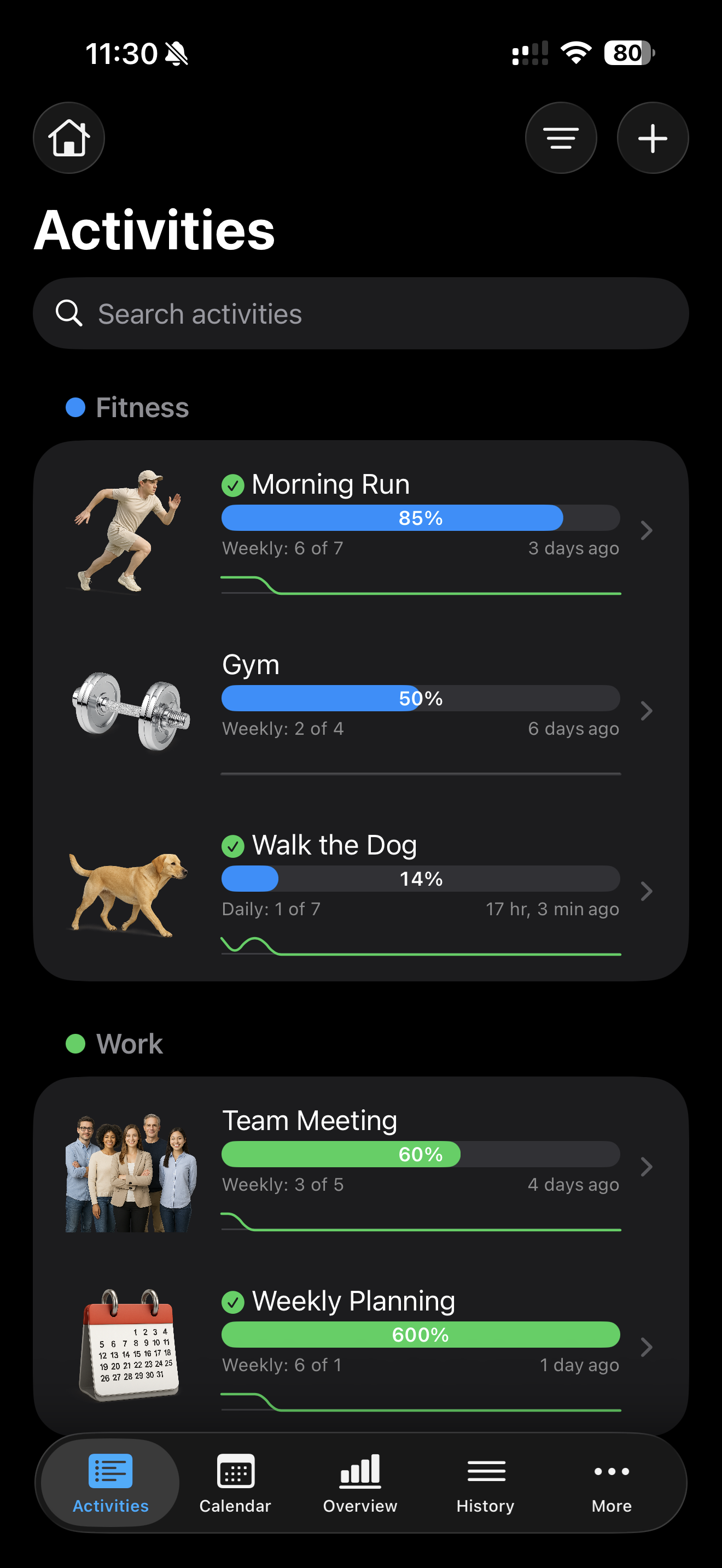
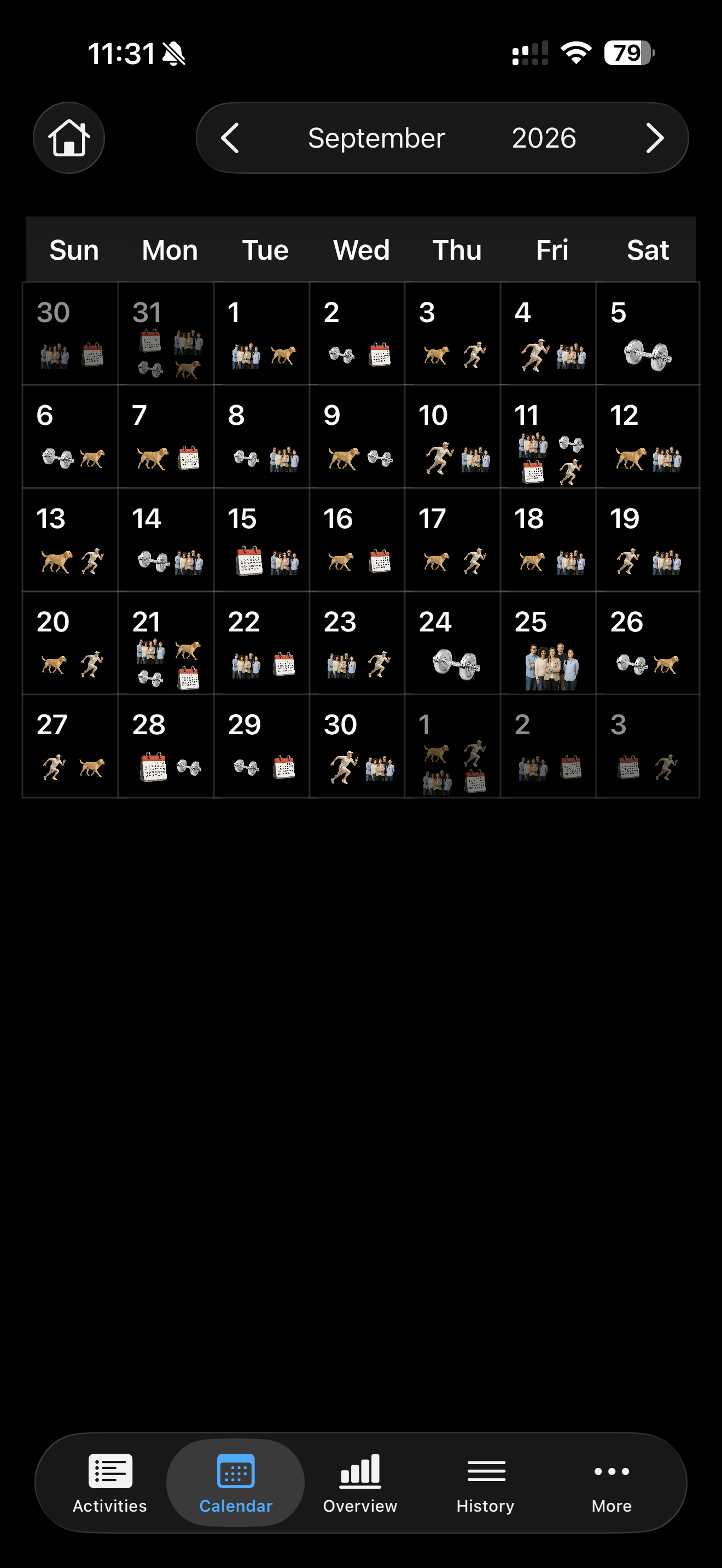
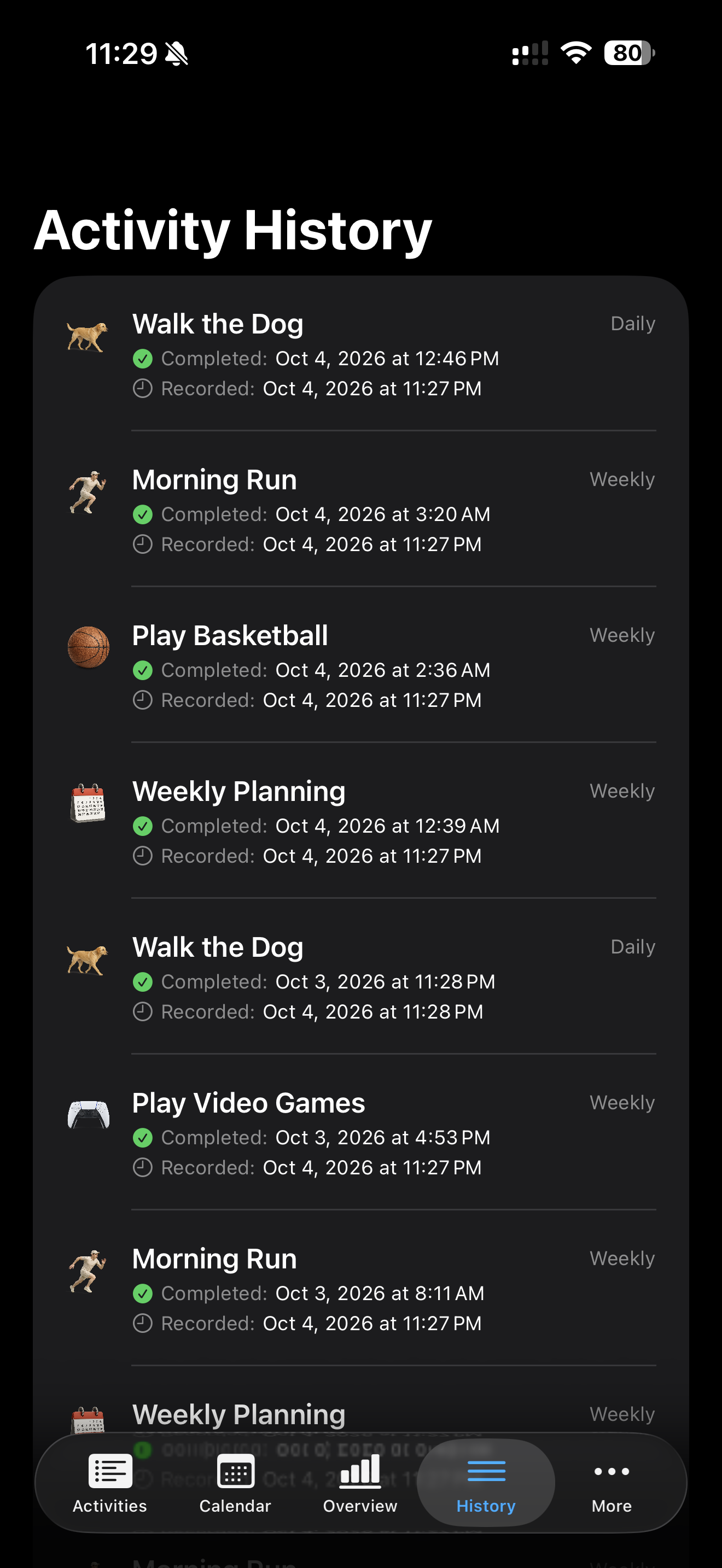
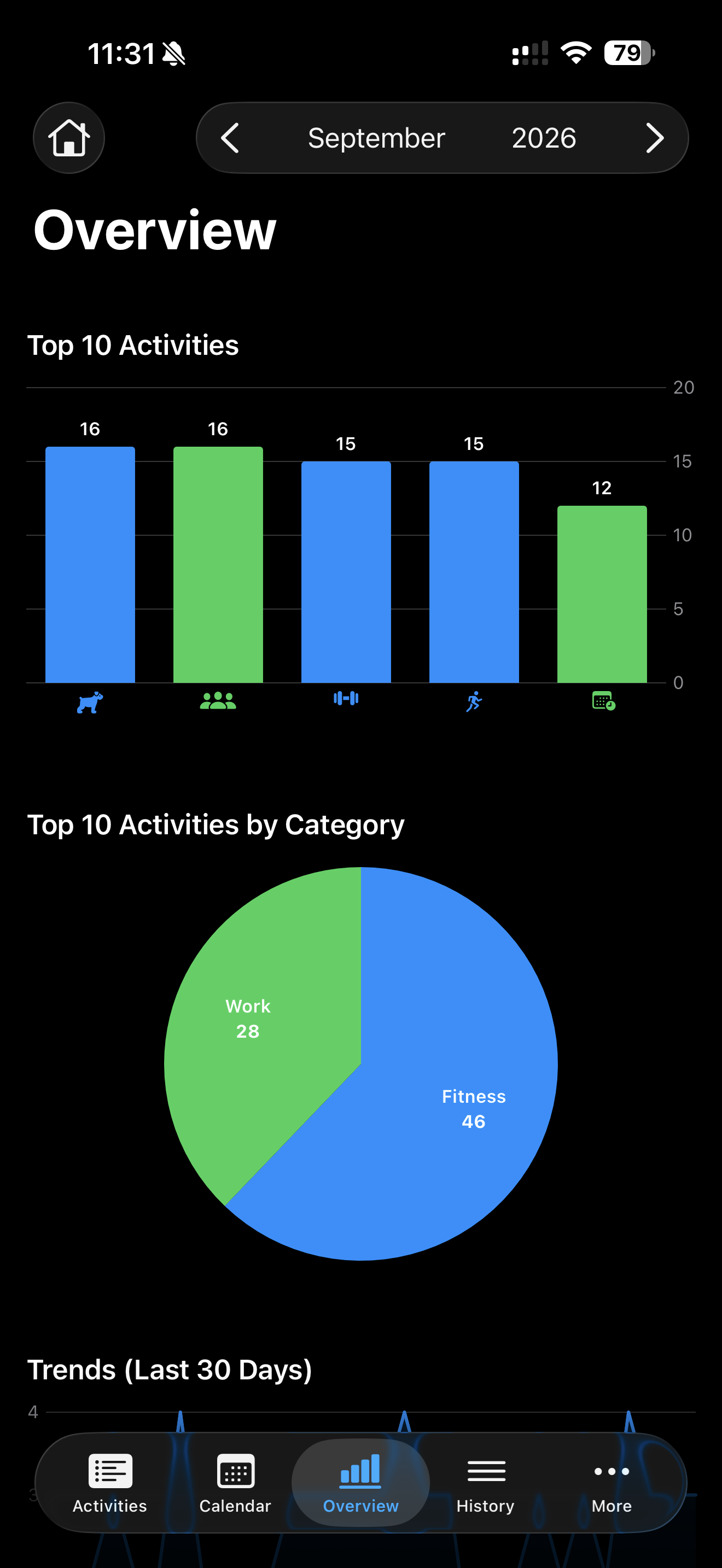
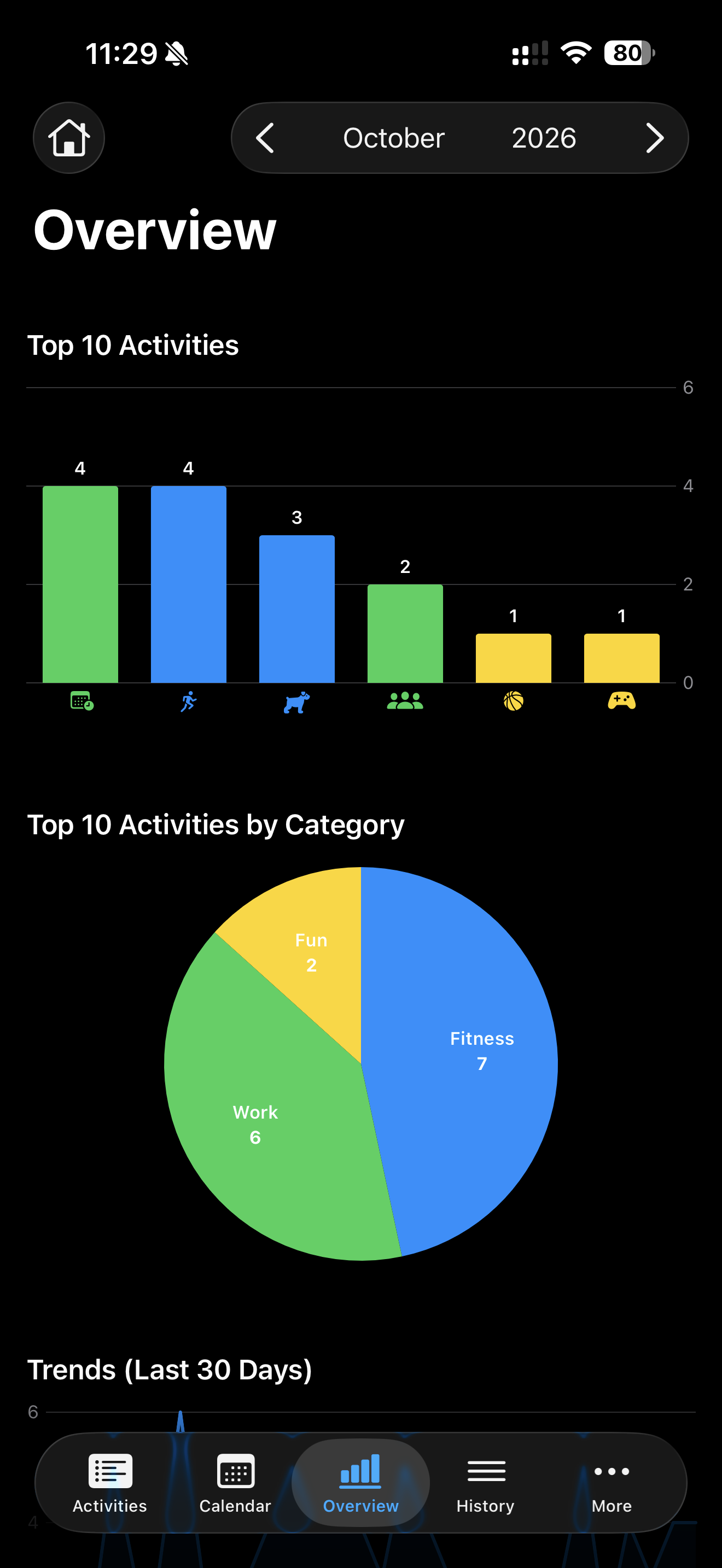
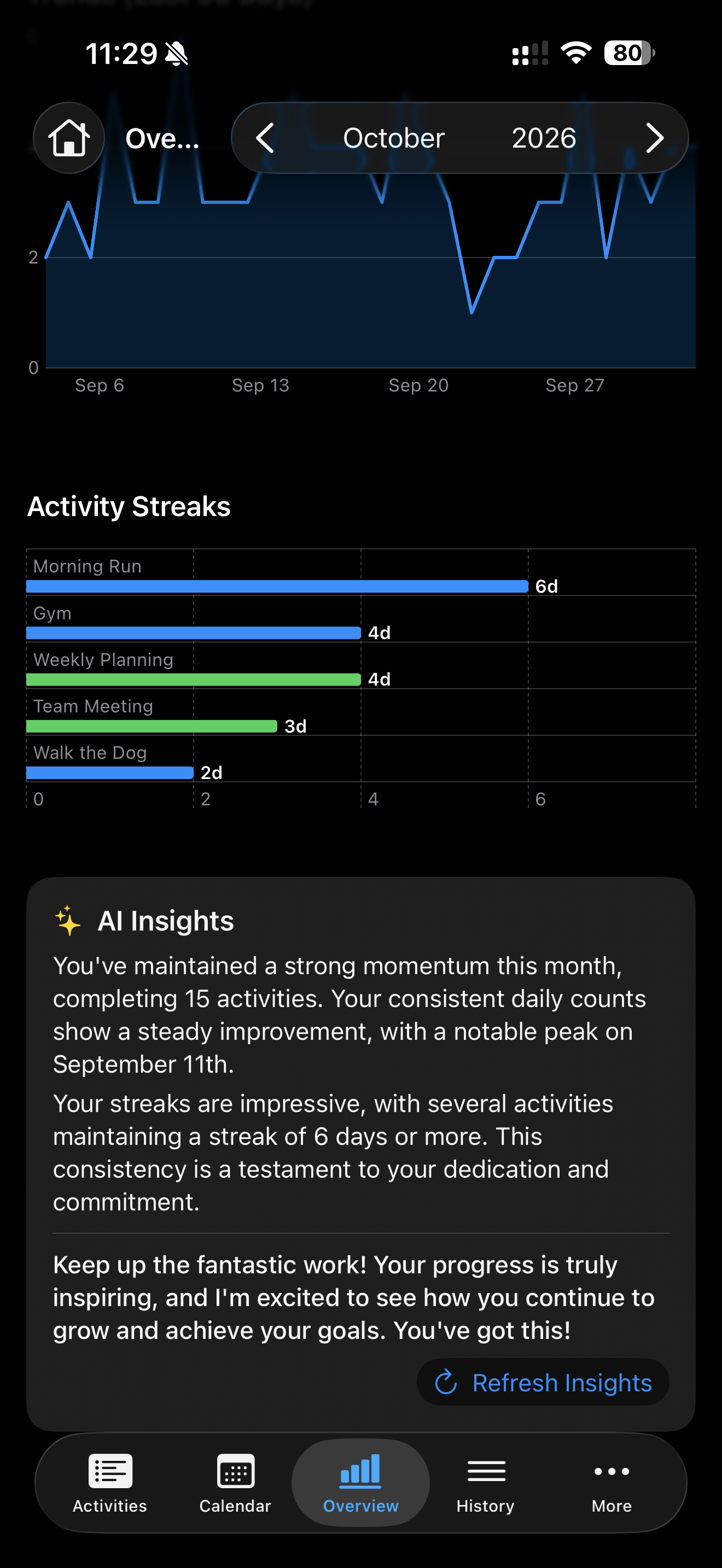
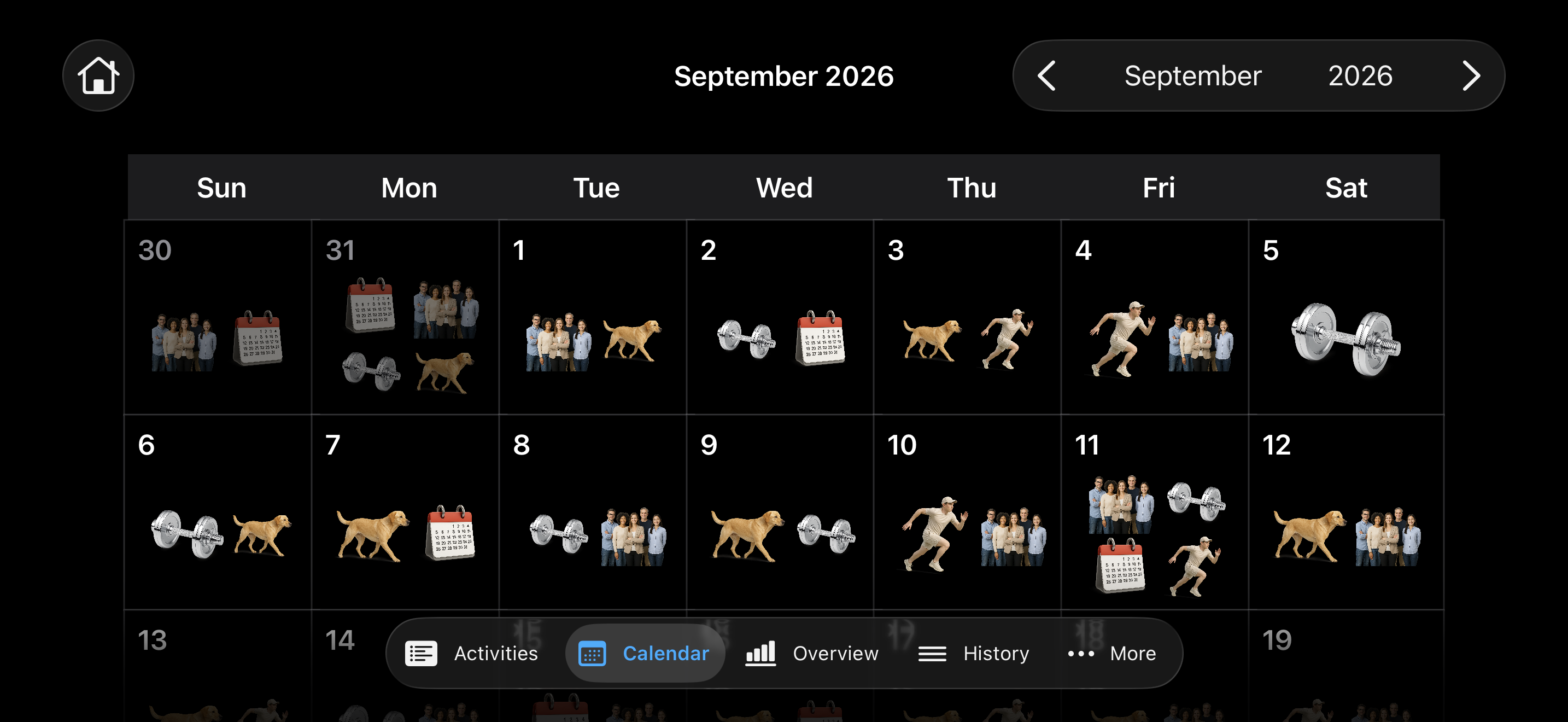
Life 2.0 in dark mode, showing activity tracking, calendar views, analytics, and AI insights. Select an image to view it at full size.
Major Features
- Recurring goals and quick logging. Create daily, weekly, monthly, yearly, or non-recurring activities with custom target counts. Swipe an activity to mark it done, and track progress with gauges and optional monthly history charts.
- Search and category organization. Group activities into custom categories, filter by category, and search activity or category names. Give categories their own icons and colors.
- A visual activity calendar. Browse months with arrows or swipe gestures, see completion icons on each day, and tap a date to inspect, add, or delete history entries.
- Progress analytics. View the selected month's top 10 activities and their category breakdown, completion trends over the last 30 days, and activity streak charts.
- On-device AI insights. Apple's Foundation Models framework uses the on-device language model that powers Apple Intelligence to summarize trends and streaks and offer encouragement. See On-device AI technology for implementation details and requirements.
- Detailed activity history. Browse all completions with the newest first. Open an activity's History section to add entries, adjust completion dates and times, or delete entries.
- Personalized appearance. Choose SF Symbols or bundled realistic icons, activity colors, and notes. Options control icon size, realistic artwork, gauge animation and colors, monthly row charts, and adjacent-month calendar icons.
- Local storage and JSON backups. SwiftData stores activities, categories, and completion history on the device. Export all three to a single JSON file and restore them through the Backup screen.
- Built-in sample data tools. Create starter activities and use developer options to generate sample history for exploring the app. Icon Viewer and SF Symbol Formatter are also included.
On iPhone, additional screens such as Categories, Options, and Export / Import are available under More.
Import behavior: importing requires an empty activity list and replaces stored categories, activities, and history. Export a backup before clearing data through Options → Delete All Activities.
On-Device AI Technology
The AI Insights panel uses Apple's Foundation Models framework and its on-device SystemLanguageModel, the language model behind Apple Intelligence. Insight generation runs locally on the device.
In Life 2.0/GraphView.swift, a LanguageModelSession receives a compact snapshot of monthly completion counts, 30-day trends, activity streaks, and top activities. Guided generation with @Generable returns a structured GraphInsights value containing a trends summary, a streaks summary, and encouragement. The Refresh Insights button requests a new summary.
Insights require a supported Apple Intelligence device with Apple Intelligence enabled and the system model available. Model availability can differ on simulators. Activity tracking and charts remain available independently of AI insight generation.
Privacy Policy
Effective Date: October 7, 2026
This policy explains how Life 2.0 for iPhone and iPad handles your information. Life 2.0 is provided by Louiery Sincioco.
Your Information in Life 2.0
Life 2.0 stores the activities, goals, notes, categories, completion history, and preferences you enter in local app storage on your device. It uses this information to display your activities, calendar, charts, and insights. You do not need to create an account.
Life 2.0 does not upload your activity records to a developer-operated server. The developer does not sell user data. The app contains no third-party advertising, analytics, or crash-reporting SDKs. Its progress charts analyze the records on your device.
On-Device AI Insights
AI Insights uses Apple's on-device language model through the Foundation Models framework. It processes a summary of your activity names, completion counts and dates, streaks, and activity icons locally to generate summaries and encouragement. Life 2.0 does not send that summary to a developer-operated or third-party AI server.
Insights may be generated when the Overview screen loads or its data changes, and when you select Refresh Insights. Availability depends on your device and Apple Intelligence settings. Life 2.0 uses Apple's system model and does not download a separate AI model.
Backups, Imports, and Sharing
You can export activities, notes, categories, and completion history as a JSON backup, and import a backup you select through the system file picker. The exported file is readable and is not password-protected or encrypted by Life 2.0.
You choose where to save or share an exported file. If you choose iCloud Drive or another storage or sharing provider, that provider handles the copy under its own terms and privacy policy. Life 2.0 does not provide automatic synchronization of your activity database between devices.
Your device's backup settings may also include Life 2.0 data in a device or iCloud backup. These backups are separate from the app's JSON export feature. The developer cannot access, retrieve, or delete the copies in your storage accounts through Life 2.0.
Device Access and Diagnostics
Life 2.0 does not request access to your photo library, camera, microphone, location, contacts, Apple Calendar, or HealthKit records. Its calendar displays activity records you enter in Life 2.0. Its icons are bundled artwork and system symbols.
The SF Symbol Formatter utility processes text on your device and writes the formatted result to local diagnostic output. Some app errors are also written to local diagnostic output.
Apple may collect diagnostics and usage information under your device settings and Apple's policies. Depending on your sharing choices, Apple may provide app developers with aggregated or non-identifying usage statistics and crash information. You can manage this in Settings → Privacy & Security → Analytics & Improvements. See Apple's App Analytics & Privacy notice.
Information you send for support, and any diagnostic or usage reports received from Apple, is used only to respond to your requests or troubleshoot problems and is kept only for as long as needed for those purposes.
Retention and Deletion
Life 2.0 does not automatically expire your saved activity records. In Options, Delete All Activities removes your activities and their associated completion history. Delete All History removes completion history while keeping activities. You can delete categories separately in Categories. Deleting activities or history does not reset your preferences or recent icon choices.
Deleting information in the app does not delete JSON files you exported, copies you shared, or earlier device backups. Manage those copies separately with the relevant device settings or storage provider.
Contact
For privacy questions, contact Louiery Sincioco at louiery@sincioco.com.
If you contact the developer, the developer receives the information you choose to send. You can use the contact address above for privacy questions or requests to delete information you have sent.
Changes to This Policy
Updates to this policy will be posted on this page with a revised effective date.
License
Life 2.0 source code is licensed under the MIT License. See LICENSE for the full terms.
Apple frameworks and SF Symbols remain subject to Apple's terms; they are not relicensed by this project.
Copyright (c) 2025–2026 Louiery R. Sincioco.